

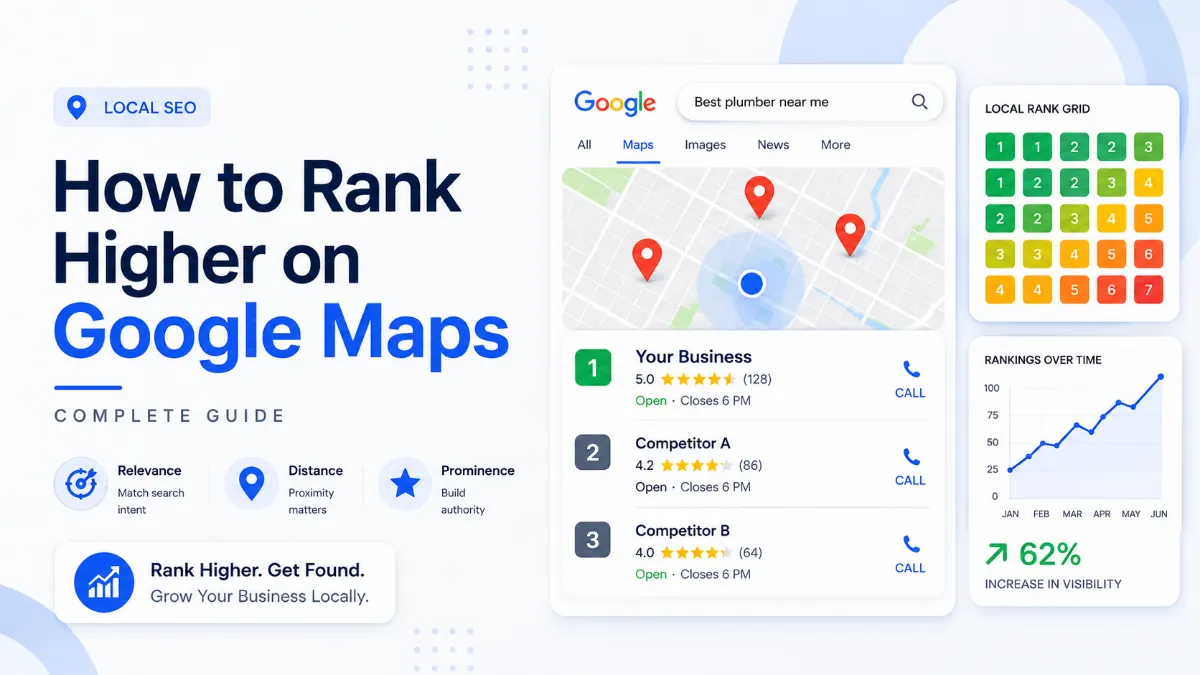
A customer searches for your main service while standing three miles from your business.
Your competitors appear in the Google local 3-pack. Your business does not.
You have a verified Google Business Profile. You have good reviews. Your website looks professional. You may even have more experience than the businesses Google displays.
So, what went wrong?
The uncomfortable answer is that Google Maps does not rank businesses by quality alone. It tries to identify the best local match for each searcher. That decision depends on what the person searched, where they searched from, and how much confidence Google has in each business.
This explains why you can rank first near your office but disappear across town. It also explains why a competitor with fewer reviews may outrank you.
Learning how to rank higher on Google Maps starts with understanding this local decision-making system. You must improve the signals you can control while accepting the geographic limits you cannot remove.
This guide explains how the system works, why rankings change, and what to improve first.
How Does Google Rank Local Businesses?
Google ranks local businesses by estimating which eligible business is the most relevant, nearby, and prominent match for each search.
Google officially identifies three main local ranking considerations:
- Relevance
- Distance
- Prominence
Google combines these factors rather than judging them separately. A distant business may outrank a closer one when Google believes it is a much stronger match. However, excellent optimization cannot completely erase proximity.
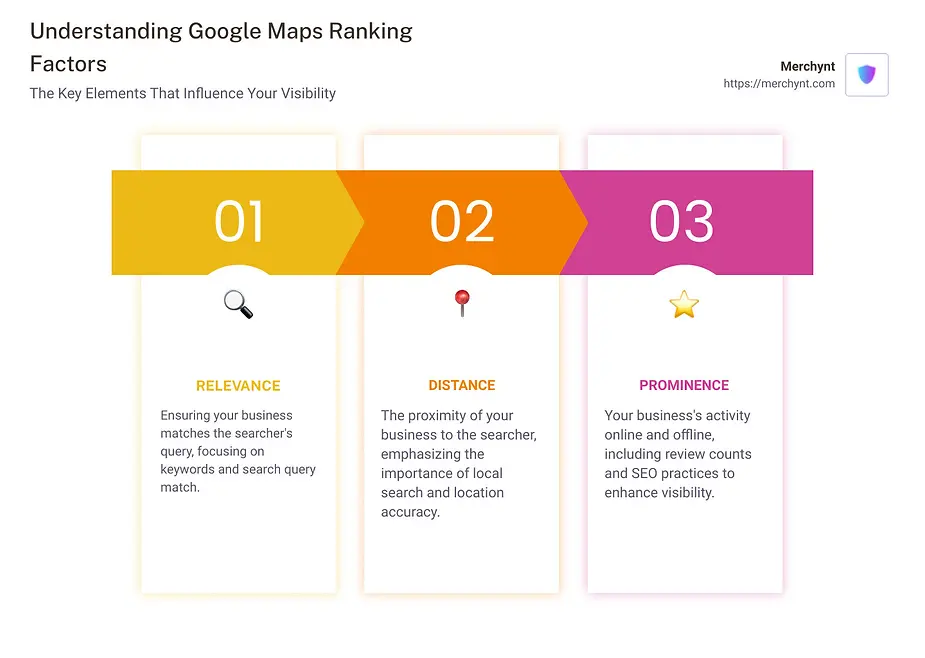
| Ranking principle | What it means | What influences it |
|---|---|---|
| Relevance | How closely the business matches the search | Categories, services, website content and complete information |
| Distance | How far the business is from the searcher | Business location, searcher location and location terms |
| Prominence | How established and trusted the business appears | Reviews, links, mentions, reputation and organic visibility |
Google also uses information from several sources. These include your profile, your website, public web content, licensed data, customer contributions, photos and reviews.
This means Google does not judge your profile in isolation. It compares your profile with the wider information available about your business.
A perfectly completed profile can still struggle when the website sends vague signals. The same problem occurs when directory listings contain conflicting contact details.
Read Google’s official guidance on improving local ranking
What Are the Main Google Maps Ranking Factors?
The three official principles are broad. Each one contains several practical signals.
Some factors directly help Google understand and rank the business. Others improve clicks, calls, trust and customer response.
It is important to separate the two.
Adding a beautiful cover photo may improve conversion. However, Google does not publicly confirm that uploading more photos directly raises rankings.
Here are the areas that deserve the most attention.
-
1. Business eligibility and verification
Your business must qualify for a Google Business Profile. It must either receive customers at a real location or travel directly to customers.
Online-only companies and lead-generation businesses are generally not eligible. Virtual offices and unsupported addresses can also create problems.
Verification confirms that you have authority to represent the business. Google states that verified businesses are more likely to appear in Search and Maps.
Do not start with advanced SEO tactics before confirming eligibility and verification.
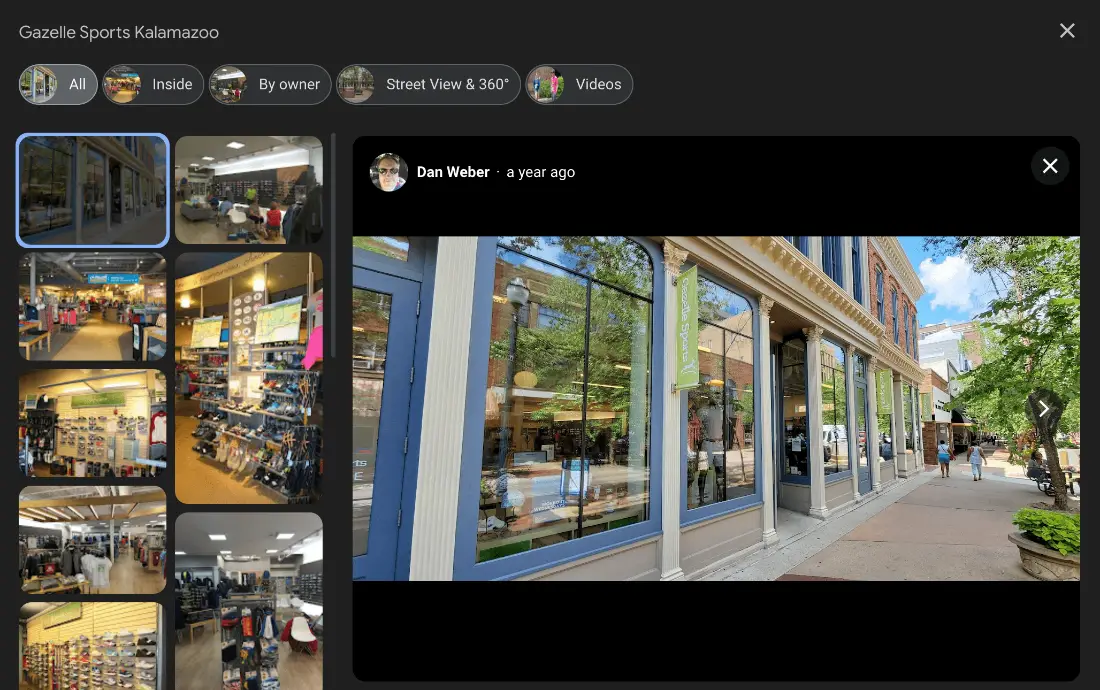
A verified storefront and accurate location help Google understand an eligible business. -
2. Your primary business category
Your primary category helps Google understand what your business fundamentally is.
A kitchen remodeling company should not select a broad category when a more accurate option exists. A dental implant provider may need a different primary category from a general dental practice.
Google confirms that the categories you choose affect local rankings. Your primary category should describe the business itself rather than one product or amenity.
Additional categories can support related services. They should remain accurate and relevant.
Do not add unrelated categories to chase more keywords. That creates confusion rather than useful relevance.
-
3. Complete and accurate business information
Google recommends providing complete and detailed information. This helps its system understand what you offer, where you operate, and when customers can reach you.
Important fields include:
- Real-world business name
- Correct address or service area
- Primary phone number
- Website
- Regular and special hours
- Primary and additional categories
- Services or products
- Accessibility and business attributes
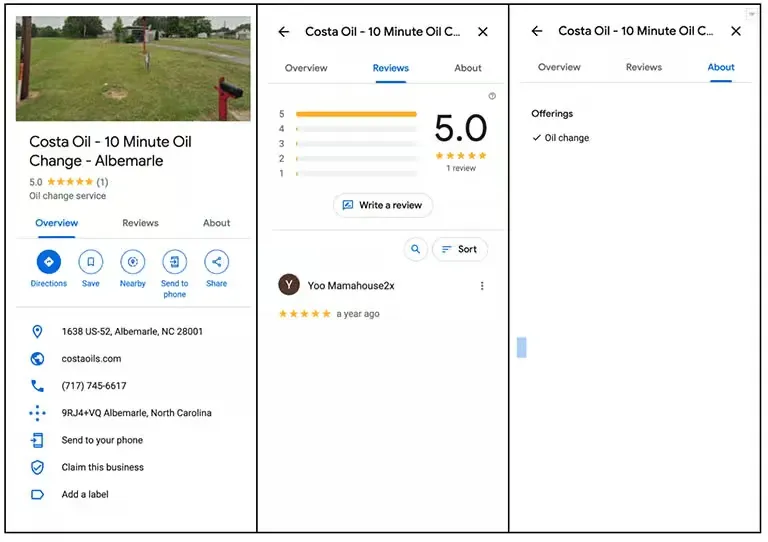
A complete profile gives Google and customers consistent business information. Google may receive suggested edits from users and other sources. Therefore, review your information regularly.
Your business name must match your genuine branding. Adding city names or services that are not part of the real name violates Google’s guidelines. It may also expose the profile to edits or suspension.
-
4. Website relevance and local landing pages
Your website supports both relevance and prominence.
Google may use crawled website content when building and displaying local business information. It also considers organic search strength when evaluating prominence.
Your linked landing page should make the following points clear:
- What the business offers
- Where it is located
- Which customers it serves
- Why it is trustworthy
- How customers can contact it
A generic homepage often weakens local relevance.
For example, a roofing company targeting Portland should have clear roofing service pages. It should also explain its connection with Portland and the surrounding service area.
Do not create hundreds of thin location pages by changing city names. Each useful location page needs unique local information, services, examples and customer value.
-
5. Reviews, ratings and review recency
Google confirms that review count and positive ratings can help local rankings. Helpful replies also make the profile more useful and trustworthy to potential customers.
Reviews matter in several different ways.
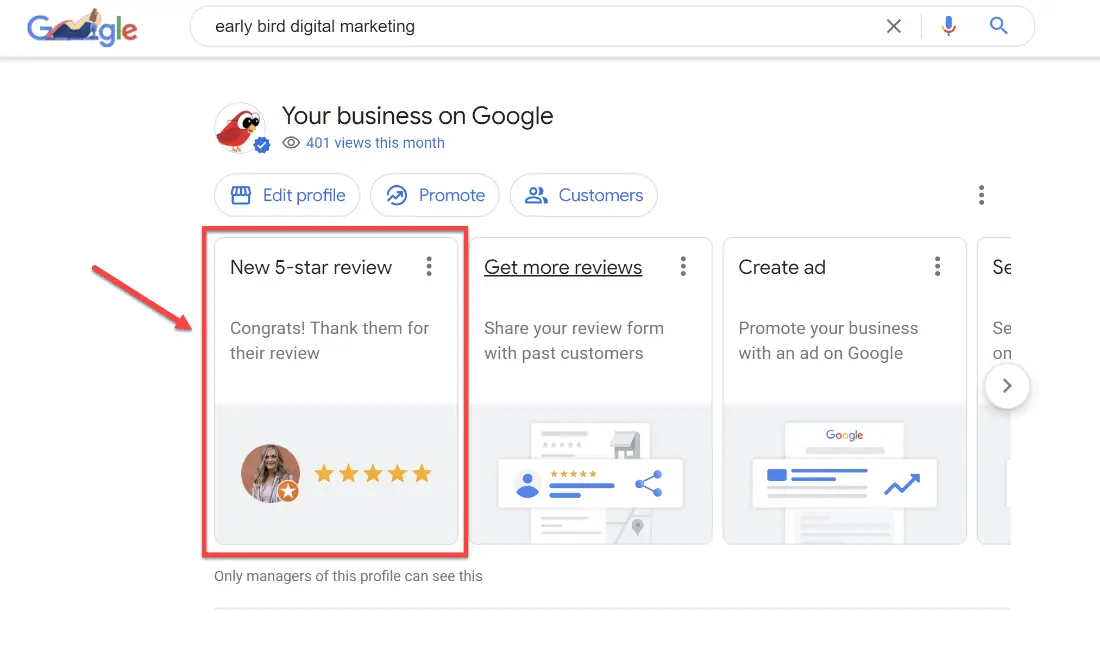
Google Business Profile review activity supports trust and customer response. They provide social proof. They improve conversion. They may also reinforce the services and experiences connected with your business.
Recent consumer research also shows that customers increasingly expect current, authentic reviews. Old review profiles may appear less dependable, even when the average rating remains high.
Create a steady review-request process instead of chasing a large batch once per year.
Never buy reviews. Never offer rewards for positive ratings. Never ask employees to review the business.
A natural review pattern is safer and more convincing.
-
6. Local authority, links and mentions
Prominence includes how well-known the business appears online and offline.
Google specifically mentions links and reviews when explaining prominence. Strong organic rankings can also support local visibility.
Useful local authority signals may include:
- Links from local publications
- Chamber of commerce listings
- Trade association profiles
- Sponsorship mentions
- Community partnerships
- Supplier or manufacturer directories
- Relevant local business directories
- Coverage of events or charitable work
One relevant local link may provide more value than dozens of low-quality directory links.
Avoid automated packages promising hundreds of citations or backlinks. They often create duplicates, inconsistencies and spam.
-
7. Consistent business information across the web
Google can collect business data from public websites, users and licensed sources. Conflicting information makes it harder to establish which details are correct.
Audit important platforms for mismatched:
- Business names
- Addresses
- Phone numbers
- Website URLs
- Opening hours
- Map pins
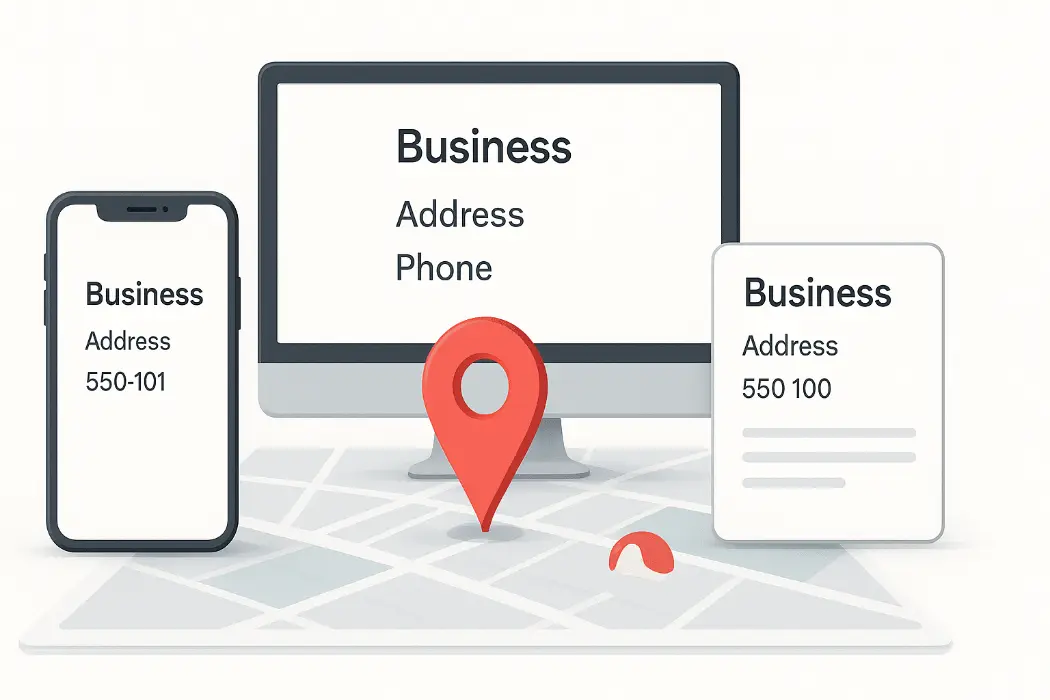
Consistent name, address, and phone information reduces conflicting local signals. Minor formatting differences usually matter less than genuinely conflicting information. A closed address, an old phone number or a duplicate profile can create serious confusion.
-
8. Profile content that improves customer response
Photos, videos, products, services and review replies help customers understand the business.
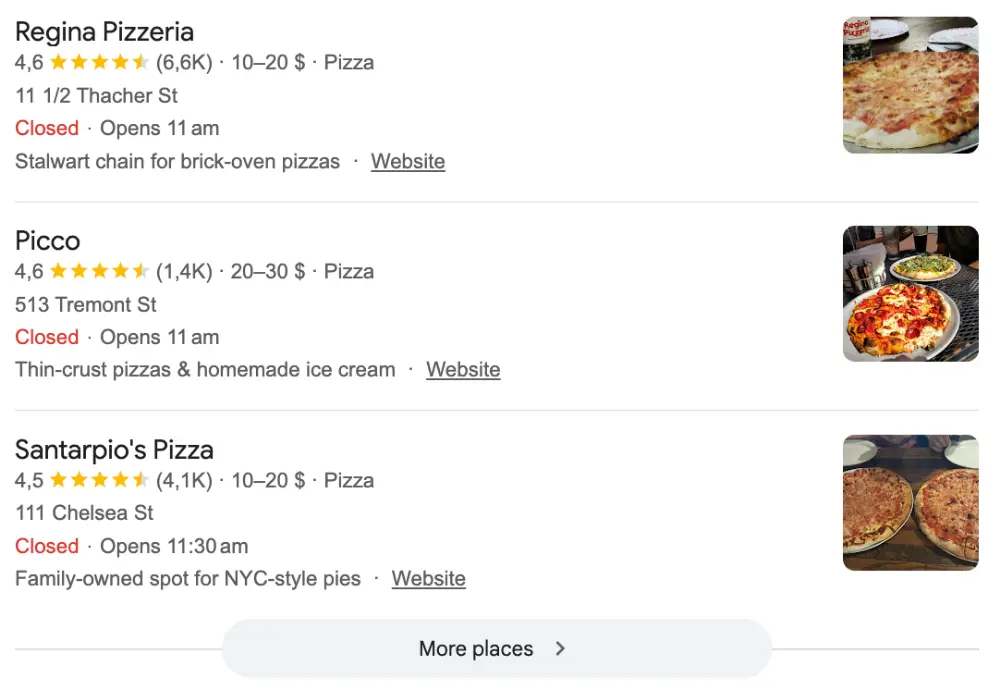
Profile imagery helps customers compare local businesses before they visit. Google recommends adding photos and videos, maintaining accurate hours and responding to reviews. These actions help the profile stand out and remain useful.
Do not confuse customer engagement features with guaranteed ranking factors.
Google Posts may support promotions and communication. They are not a substitute for correct categories, proximity, reviews or website authority.
That distinction saves businesses from spending months on low-impact activity.
What Do Relevance, Distance and Prominence Mean?
These three principles explain almost every confusing Maps result.
Relevance means matching the search
Google compares the search query with what it understands about each business.
Suppose someone searches for “emergency water heater repair.” A general contractor may be nearby. However, a properly categorized plumbing company may provide a stronger match.
Relevance can change by keyword.
A dentist may rank for “dentist near me” but not “emergency dentist.” The profile, website and reviews may not provide enough evidence for that specific service.
Improve relevance by aligning:
- The primary category
- Additional categories
- Services
- Website pages
- Page titles
- On-page content
- Local business information
- Customer language
Do not force keywords into every field. Clarity works better than repetition.
Distance means proximity to the searcher
Distance measures how far the business is from the customer’s search location.
When the searcher does not enter a place name, Google estimates their location using available data.
This makes every local search geographically different.
A customer standing near your office may see you first. Another customer using the same keyword five miles away may see different businesses.
Distance is not something you can fully optimize away.
Prominence means authority and recognition
Prominence measures how established the business appears.
A well-known local museum may rank prominently even when it has not followed every standard optimization recommendation. Its offline recognition, web mentions, links and reviews create powerful prominence.
For a normal local company, prominence grows through sustained business activity. That includes earning reviews, building a credible website, attracting links, receiving local mentions and maintaining accurate information.
Prominence usually takes longer to develop than profile completeness.
How Long Does Google Maps Ranking Take?
A new business may take up to one month to begin appearing, while profile edits can take up to three days to enter search results. Meaningful ranking growth often takes longer.
Google provides two useful timelines:
- New business rankings may take up to one month to appear.
- Business information edits can take up to three days to appear.
These timelines describe processing and visibility. They do not promise high rankings.
A profile can appear within one month and still rank below established competitors.
The time required for improvement depends on:
- Market competition
- Business location
- Profile age
- Category accuracy
- Existing review strength
- Website quality
- Local authority
- Previous violations
- Duplicate profiles
- Competitor activity
Basic corrections may produce movement within days or weeks. Building authority across a competitive city may take several months.
A new law firm in a major city should not expect to outrank firms with years of reviews and local authority after one month.
The correct goal is measurable progress, not an instant number-one position.
Track visibility at the start. Repeat the same measurement after meaningful changes. Otherwise, you may mistake normal location variation for improvement.
How Do Proximity and Google Maps Ranking Radius Work?
Your ranking radius is the geographic area where your business remains competitive for a specific search.
It is not a fixed setting inside your profile.
Every business has multiple ranking radiuses.
You may have a strong radius for your main category and a smaller radius for a secondary service.
For example, a plumbing company may rank across several neighborhoods for “plumber.” It may only rank near its address for “drain inspection.”
The radius changes according to:
- Search intent
- Competition
- Business density
- Category
- Relevance
- Prominence
- Searcher location
- Time and availability
Changing your service areas does not provide a direct citywide ranking pass.
Google allows service-area businesses to specify cities, postal codes and other areas. It does not allow a simple radius setting.
A profile can contain up to 20 service areas, and Google recommends keeping the total area within roughly two hours of driving time.
These settings tell customers where you operate. They do not move your verified location.
This is one of the most misunderstood parts of local SEO.
Adding twenty cities will not make you locally close to searchers in those cities.
Why Do Rankings Vary Across Different Parts of a City?
Google Maps results change because each search starts from a different geographic point.
Imagine a city with five roofing companies. A search from the east side may favor eastern businesses. A search downtown may display companies closer to the city center. A search from the west may produce another set of results.
The keyword has not changed.
The search origin has.
Results can also vary due to:
- Device location
- Entered location terms
- Search history
- Business hours
- Search intent
- Traffic conditions
- Competitor availability
- Google testing
- Recent profile changes
This means “What position do we rank?” is the wrong question.
The better question is:
“Where do we rank for this keyword across the areas where our customers search?”
That question leads to useful analysis.
A single manual search can create false confidence. It may show a strong result near the office while hiding weak visibility elsewhere.
Why Is My Business Not Showing in the Local 3-Pack?
A business can appear on Google Maps without appearing in the local 3-pack.
The local 3-pack is highly competitive. Google selects only a small number of results for each searcher.
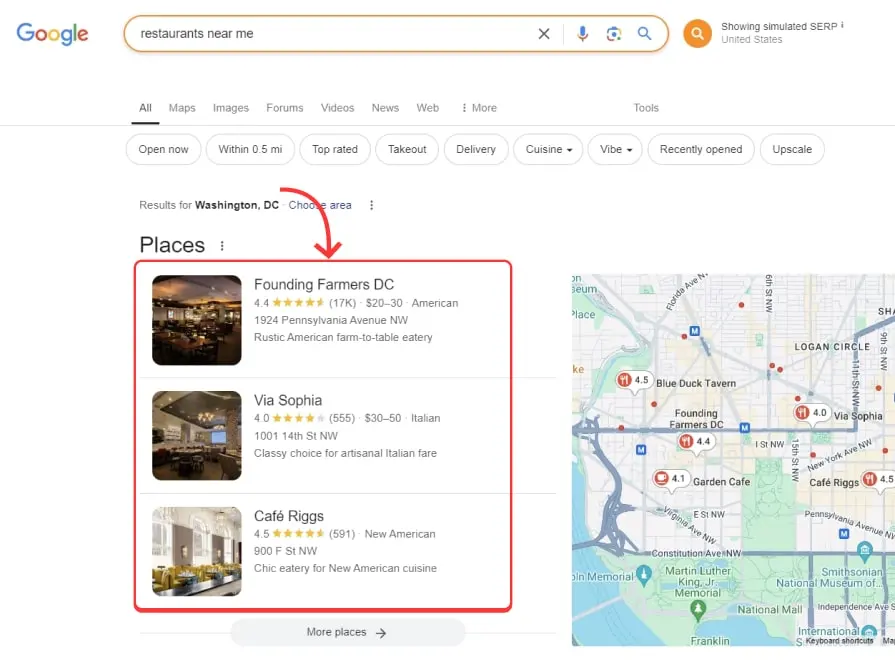
Common reasons include:
-
Your business is too far from the searcher
You may rank well closer to the verified location but fall outside the competitive range elsewhere.
Run searches from several map points before assuming the profile has a technical problem.
-
Your primary category is inaccurate
A wrong category can prevent the profile from matching valuable searches.
Compare your category with the category used by relevant competitors.
Do not copy competitors blindly. Choose the category that accurately describes your main business.
-
Your profile is incomplete
Missing hours, contact details, services or verification can weaken visibility.
Google explicitly recommends complete, accurate and current information.
-
Your competitors have stronger relevance
A competitor may have dedicated service pages, a clearer category and more focused customer reviews.
Your business may be older or better, but Google needs clear evidence.
-
Your prominence is weaker
The businesses in the 3-pack may have stronger websites, links, mentions or brand demand.
Review count is only one part of prominence.
-
The query triggers different local intent
Google may treat “bathroom remodeling” differently from “bathroom remodeling contractor.”
Track several commercial keyword variations. Do not judge performance using one broad term.
Why Is My Google Business Profile Not Ranking?
When a profile does not rank, diagnose the issue in order.
-
Step 1: Search for the exact business name
Does the profile appear when you search the brand name and city?
When it does not, check verification, suspension, duplicates and eligibility.
-
Step 2: Confirm the profile is verified and active
Only verified businesses can display managed business information on Search and Maps.
A suspended or disabled profile will not appear publicly until the issue is resolved.
-
Step 3: Check the primary category
Make sure the category describes the main business.
Do not use a category because it has higher search volume. Accuracy comes first.
-
Step 4: inspect the verified address or service-area setup
Confirm that the map pin is correct.
Service-area businesses should hide addresses where customers are not served. Google requires service-area information to reflect real operations.
-
Step 5: audit your linked website
Check whether the page clearly supports the category and location.
A profile for an electrician should not link to a vague corporate homepage covering unrelated services across several states.
-
Step 6: compare the ranking landscape
Review businesses appearing in the top results.
Record their:
- Primary categories
- Review counts
- Rating
- Location
- Website quality
- Service focus
- Local links
- Years in business
You are looking for patterns, not one magic difference.
-
Step 7: run a local rank grid
A rank grid will show whether the issue affects the whole market or only distant areas.
If your profile ranks near its location, it is probably eligible and indexed. The challenge is geographic reach.
Why Did My Google Maps Rankings Suddenly Drop?
A sudden ranking drop requires calm diagnosis.
Do not immediately change every field. Large, reactive edits can make the problem harder to understand.
Start with the date of the decline.
-
Check for profile suspension or restriction
A hard suspension can remove the profile from public results.
Google allows eligible businesses to submit an appeal. Supporting documents may include registration records, licenses, tax certificates and matching utility bills.
-
Review recent profile changes
Did someone change the business name, category, address, hours or website?
Google states that profile edits may take up to three days to appear in search. Ranking fluctuations can occur while information is processed.
-
Look for duplicate or merged profiles
Duplicates may divide reviews and confuse customers.
An unexpected merge can also change categories, addresses or review counts.
-
Check for lost reviews
Google may remove reviews that violate its policies or appear suspicious.
A ranking decline may follow a large review loss. More importantly, the profile may lose trust and conversion strength.
-
Check whether the website lost visibility
Prominence includes website signals.
Technical errors, indexing problems, lost backlinks or a website migration can affect local visibility.
-
Compare competitors
Your business may not have declined.
A nearby competitor may have improved its profile, changed categories, opened a closer location or earned stronger local authority.
-
Check the geographic pattern
A citywide decline suggests a relevance, authority or profile-health problem.
A decline in only one neighborhood may reflect proximity or a stronger local competitor.
-
Avoid panic editing
Change only what is inaccurate or unsupported.
Record every change and its date. This creates a reliable troubleshooting history.
Why Does My Competitor Rank Higher With Fewer Reviews?
Your competitor can rank higher because Google considers distance, relevance and overall prominence rather than review count alone.
This situation frustrates many business owners.
You may have 250 reviews while a competitor has 60. Yet the competitor appears above you.
Possible reasons include:
-
The competitor is closer
Proximity can outweigh a review advantage.
A business one mile away may outrank a business six miles away.
-
Their primary category matches better
Your competitor may use the category that most closely matches the search.
You may have selected a broader or less accurate category.
-
Their website is more focused
A smaller business can outperform a larger company when its website clearly covers one service and one local market.
Your website may spread relevance across unrelated services or locations.
-
Their reviews are more recent
A competitor may receive reviews consistently.
Your profile may have more total reviews but little recent activity. Recent reviews also provide stronger reassurance to customers.
-
They have stronger local authority
The competitor may have links from local publications, trade groups, partners and community organizations.
These signals can strengthen prominence.
-
Their physical location is more favorable
A competitor near the searcher, city center or service-demand cluster may have a geographic advantage.
-
Google understands their business more clearly
Their categories, website, reviews and third-party mentions may all support the same service.
Clarity often beats volume.
The practical lesson is simple.
Do not compete on review count alone. Improve the entire local entity.
How Can One Google Business Profile Rank in Multiple Areas?
A single profile can rank beyond its immediate neighborhood, but it cannot guarantee visibility across every service area.
The strongest approach is to build outward from the verified location.
-
Strengthen your primary market first
Establish strong relevance near the business.
Choose the correct category, improve the linked page, build reviews and remove inconsistent information.
-
Create valuable location pages
Build a page for each important city only when the business genuinely serves it.
Each page should include:
- Services available in that area
- Local project examples
- Customer questions
- Travel or scheduling details
- Local testimonials
- Unique location information
- A clear contact process
Avoid doorway pages with nearly identical text.
-
Earn signals from target areas
Build relationships with organizations, suppliers, publications and customers in each target market.
A local sponsorship or industry partnership can provide useful geographic relevance.
-
Encourage natural customer detail
Ask customers for honest feedback.
Do not tell them which keywords to use. However, detailed reviews often mention the service and area naturally.
-
Use one profile unless additional locations qualify
Google states that service-area businesses should generally maintain one profile for the entire service area. Separate profiles require real, eligible locations.
Do not create profiles using virtual offices, employees’ homes or unstaffed locations.
-
Consider paid search for distant markets
Local SEO has geographic limits.
Google Ads may provide faster coverage where organic Maps visibility remains weak. Paid visibility should complement the organic strategy rather than replace it.
How Should You Track Google Maps Rankings Accurately?
Accurate tracking requires consistency.
Do not rely on searching your business from your office.
Your device location, history and search context may distort the result.
Use four data sources.
-
1. Google Business Profile performance
Google’s performance reporting can show searches, views, calls, website clicks and direction requests.
These metrics show whether people interact with the profile. They do not provide a complete geographic ranking map.
-
2. Google Search Console
Search Console shows website impressions, clicks, queries and pages.
Add tracking parameters to the profile’s website link. This separates GBP website visits inside analytics tools.
-
3. Conversion tracking
Track meaningful outcomes such as:
- Phone calls
- Contact forms
- Bookings
- Direction requests
- Quote requests
- Sales
- Qualified leads
A ranking increase without business results is not a complete success.
-
4. Local rank-grid tracking
Use a grid tracker to measure rankings from multiple points.
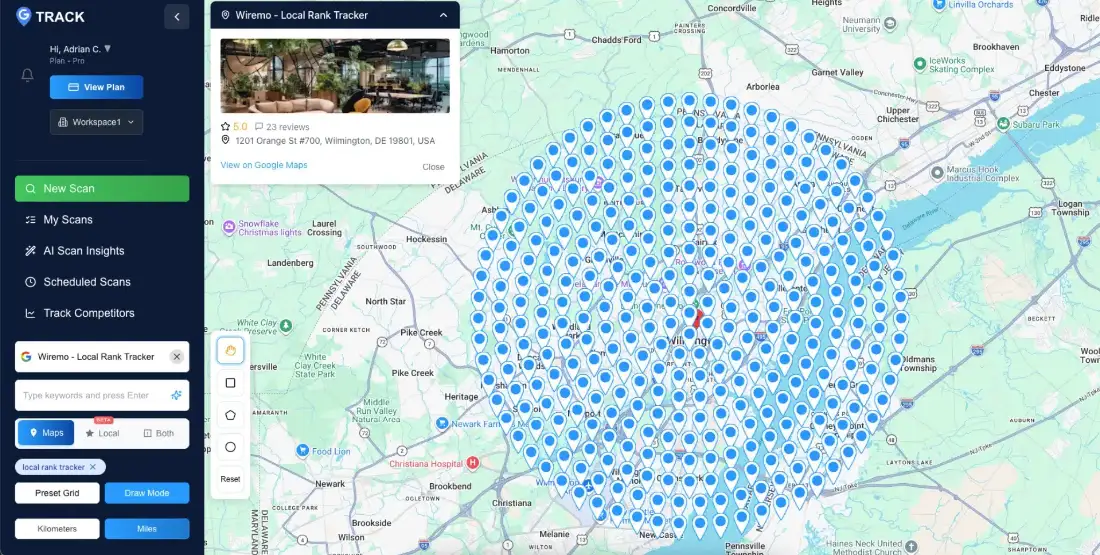
Example third-party rank-grid report comparing visibility across multiple map points. Keep these settings consistent:
- Keyword
- Grid center
- Grid size
- Distance between points
- Scan schedule
- Business profile
- Device type, when available
Run scans monthly for stable reporting.
Weekly tracking may help during major changes. Daily grid scans often create noise and unnecessary cost.
What Is a Local Rank Grid?
A local rank grid is a map-based report showing where a business ranks from multiple search points across a defined area.
Instead of giving one citywide ranking, the tool checks positions from many coordinates.
A 7-by-7 grid contains 49 search points. Each point represents a simulated local search from that location.
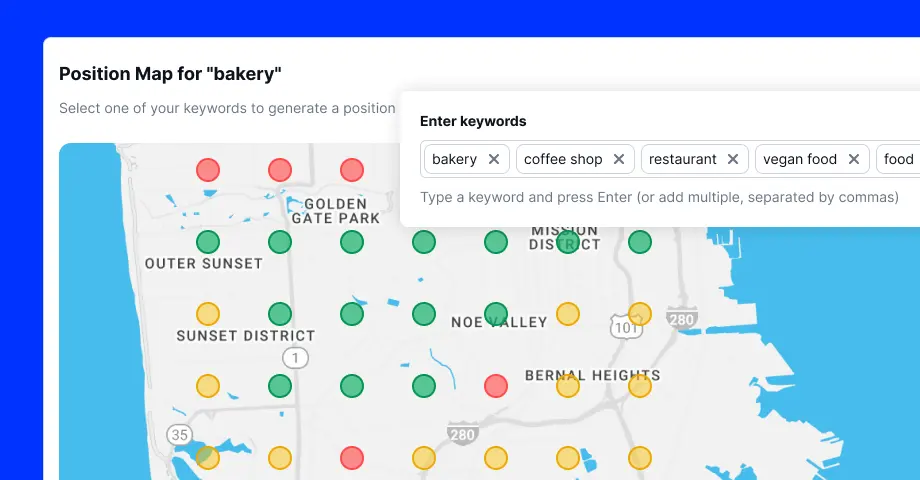
BrightLocal describes its Local Search Grid as a tool that shows rankings from one street to the next. It also identifies competitors appearing across those locations.
A grid might look strong near the business and weak at the edges.
That pattern is normal.
It tells you where the business has enough relevance, proximity and prominence to compete.
How Do You Read a Local Rank Grid?
Most rank-grid tools use colors to represent visibility.
The exact colors and ranking ranges vary between platforms.
A common interpretation is:
| Grid result | Meaning | Recommended action |
|---|---|---|
| Positions 1 to 3 | Strong local-pack visibility | Protect the position and improve conversion |
| Positions 4 to 10 | Competitive but outside the 3-pack | Compare categories, proximity and authority |
| Positions 11 to 20 | Weak visibility | Improve relevance and local prominence |
| Position 20+ | Little practical visibility | Check proximity, eligibility and market difficulty |
| No result | Profile was not found | Investigate indexing, category, suspension or distance |
Do not judge the grid by its overall color alone.
Look for patterns.
Green near the business and red farther away
This usually indicates a normal proximity pattern.
Strengthen prominence and target the most valuable weak zones.
Red everywhere
This may indicate:
- Wrong category
- Unverified profile
- Suspension
- Weak website relevance
- New profile
- Incorrect business details
- Highly competitive market
Strong rankings in one direction
Your business may face fewer competitors in that area.
Road layout, population density and business concentration may also influence the pattern.
Sudden citywide decline
Check profile health, website changes, reviews, competitors and algorithmic volatility.
One red island inside a strong grid
A powerful competitor may dominate that neighborhood.
Run a competitor report from those points before changing your profile.
The goal is not to make every point green.
The goal is to increase visibility where valuable customers are located.
A 90-Day Google Maps Ranking Plan
Use this plan to improve the most important signals in the correct order.
Days 1 to 15: Establish profile health
- Confirm verification and ownership.
- Review eligibility.
- Check the business name.
- Correct the address and map pin.
- Choose the best primary category.
- Remove irrelevant categories.
- Update hours and contact information.
- Resolve duplicate profiles.
- Record a baseline local rank grid.
- Save current performance metrics.
Days 16 to 30: Improve relevance
- Complete products and services.
- Improve the linked landing page.
- Create or expand core service pages.
- Add clear location information.
- Improve title tags and headings.
- Add LocalBusiness structured data.
- Fix conflicting citations.
- Review search queries in Search Console.
Days 31 to 60: Build trust and prominence
- Create a consistent review-request process.
- Respond to every legitimate review.
- Update important directory listings.
- Join relevant trade associations.
- Seek local partnerships.
- Publish useful local content.
- Earn mentions from community websites.
- Improve weak website pages.
Days 61 to 90: Expand and measure
- Repeat the rank-grid scan.
- Compare the same coordinates.
- Identify weak but valuable areas.
- Build one high-quality location page.
- Compare competitors in weak zones.
- Review calls, leads and direction requests.
- Document every change and outcome.
- Plan the next quarter based on evidence.
Avoid changing several major profile fields at once.
Controlled improvements produce clearer data.
Common Google Maps Ranking Mistakes
-
Treating the business description as the main ranking tool
The description helps customers understand the business.
It should remain useful and accurate. It is not a place for repeated cities and keywords.
-
Adding keywords to the business name
This may create a temporary advantage in some markets. It also violates Google’s guidelines when the words are not part of the real-world name. Google warns that unnecessary information may lead to suspension.
-
Creating fake locations
Virtual offices and unsupported addresses create serious risk.
Only create another profile when the location independently qualifies.
-
Building thin city pages
Changing “Portland” to “Beaverton” across twenty identical pages does not create local value.
Publish fewer pages with stronger local evidence.
-
Buying reviews
Fake reviews can disappear and damage customer trust.
Build a repeatable process around real customers.
-
Tracking from one location
One search does not represent a city.
Use a rank grid and performance data together.
-
Making constant profile edits
Frequent category, name and address changes can create instability.
Change information when it is wrong, incomplete or unsupported.
Frequently Asked Questions
No. Google states that businesses cannot request or pay for a better organic local ranking. Advertising can create paid visibility, but it does not purchase organic placement.
Final Google Maps Ranking Checklist
Before investing in advanced tactics, confirm that:
- The business is eligible.
- The profile is verified.
- The business name follows policy.
- The primary category is correct.
- The address or service area is accurate.
- Hours and contact details are current.
- The linked website supports the service and location.
- Reviews arrive naturally and consistently.
- Major citations contain correct information.
- The website earns relevant local authority.
- Performance is measured through leads and calls.
- Rankings are tracked across multiple locations.
Conclusion
Learning how to rank higher on Google Maps is not about finding one hidden setting.
Google wants the most useful local match for each searcher. It evaluates relevance, distance and prominence together.
You can strengthen relevance through accurate categories, services and website content. You can build prominence through reviews, authority and genuine local recognition.
You cannot force every searcher to be close to your business.
That is why a disciplined strategy begins near your location. It then expands outward through stronger relevance, reputation and local authority.
Start with profile health. Fix category and information problems. Improve the linked website. Build a steady review process. Then measure visibility with a local rank grid.
The businesses that win local search rarely use one clever trick.
They send Google clear, accurate and consistent evidence for months while their competitors keep searching for shortcuts.
Davenport Plumbing & HVAC Local SEO
See how a connected website and local search strategy supported measurable visibility.
View the case studyTurn the checklist into a focused local search plan.
Get a practical review of your Google Business Profile, website, local signals, and tracking.