


A Google Business Profile can put your business in front of customers at the exact moment they search for a nearby product or service. But creating a profile is only the beginning.
To compete in Google Maps, the local 3-pack, and location-based search results, your profile needs accurate business information, the right categories, useful services, strong reviews, relevant photos, a supporting website, and consistent local signals.
This Google Business Profile optimization checklist explains what to optimize, what actually affects local rankings, how proximity changes visibility, why rankings vary across a city, and what to check when your business does not appear in the local 3-pack.
Most importantly, it separates what Google officially confirms from what local SEO studies and practitioners have observed.
What Is Google Business Profile Optimization?
Google Business Profile optimization is the process of improving the accuracy, relevance, completeness, trustworthiness, and usefulness of the information attached to your business on Google Search and Google Maps.
The objective is not simply to "fill every field." It is to help Google understand:
What your business is
What products or services you offer
Where your business is located
Which customers you can serve
Whether the business is legitimate
How well-known and trusted it is
Whether your profile is a useful match for a particular local search
Google says complete and accurate information makes a business more likely to appear in relevant local results. It specifically recommends keeping the address, hours, category, attributes, reviews, photos, and other business information current.
That makes optimization a combination of Google Business Profile SEO, local SEO, reputation management, website optimization, and conversion optimization.
How Does Google Rank Local Businesses?
Google officially identifies three main considerations behind local results: relevance, distance, and prominence. Google also says businesses cannot request or pay for a better organic local ranking.
Here is the simplest way to understand the system:
Factor | What It Means | What You Can Improve |
|---|---|---|
Relevance | How closely the business matches the search | Categories, services, profile information, website content |
Distance | How far the business is from the searcher or searched location | Mostly determined by your legitimate physical location |
Prominence | How established or well-known the business appears | Reviews, links, mentions, reputation, website authority |
These factors interact.
A business does not automatically rank first because it is closest. Likewise, a company with hundreds of reviews is not guaranteed to outrank every closer competitor. Google tries to determine the most useful overall local result for that particular query and searcher.
Relevance
Relevance asks: Is this business a good match for what the person wants?
Your primary category is one of the clearest ways to communicate that relevance. Services, additional categories, website content, attributes, and other profile information provide further context.
For example, a business primarily categorized as a "Personal Injury Attorney" sends a more specific signal for a personal-injury search than a broad "Law Firm" category, assuming the specific category accurately describes the business.
Distance
Distance is the geographic component.
Google says it considers how far each potential result is from the person searching. If the searcher does not provide a location explicitly, Google uses the location information available to it.
This is why two people can type the same keyword and see different map results.
Prominence
Prominence represents how well-known a business is.
Google specifically mentions factors such as links to the business, reviews, and positive ratings when explaining prominence.
In practical local SEO, prominence can therefore involve your review profile, website authority, local backlinks, brand mentions, citations, offline reputation, and broader online presence.
What Are the Most Important Google Maps Ranking Factors in 2026?
Google does not publish a weighted list of every signal inside its local algorithm. That distinction matters.
The 2026 Local Search Ranking Factors survey from Whitespark asked 47 local-search experts to score 187 factors based on their research, testing, and experience. The report itself states that contributors do not have special access to Google's algorithm.
For local pack and Maps results, its highest-scoring factors included:
Observed Factor | 2026 Survey Position |
|---|---|
Primary GBP category | #1 |
Proximity to the point of search | #2 |
Keywords in the legitimate business title | #3 |
Physical address in the city of search | #4 |
Business open at the time of search | #5 |
High Google rating | #6 |
Additional GBP categories | #8 |
Quantity of Google reviews with text | #9 |
Correct map-pin placement | #10 |
Review recency | #11 |
Treat this as industry evidence, not a confirmed Google formula.
There is also an important warning hidden in these results. Keywords in a business name correlate strongly with rankings, but that does not mean you should add keywords to your profile name.
Google requires the profile name to reflect the real-world business name. Adding services, cities, taglines, or other unnecessary information can violate its guidelines and potentially lead to profile restrictions or suspension.
So if your company is legally and publicly known as "Smith Plumbing," use that. Do not turn it into "Smith Plumbing | Best Emergency Plumber in Dallas" just because keywords may influence rankings.
What Should You Optimize First on a Google Business Profile?
The most useful Google Business Profile optimization checklist starts with eligibility and accuracy before moving into ongoing content

.
1. Claim and verify the correct profile
Search for your business before creating a new listing. If a legitimate profile already exists, claim it rather than creating another one.
Verification is fundamental. Google states that verified businesses can show their business information on Search and Maps.
Depending on the business and location, verification options can include phone, email, video, or other methods determined by Google.
2. Use your exact real-world business name
Match the name customers see on your storefront, website, invoices, branding, and other real-world materials.
Do not add:
Extra service keywords
City names that are not part of the actual name
Promotional claims
Phone numbers
URLs
Unnecessary legal or marketing language
Google explicitly warns against unnecessary information in the business-name field.
3. Choose the strongest accurate primary category
Your primary category should describe what the business is, not everything it offers.
Google itself recommends choosing categories that are specific and representative while using as few as necessary.
A dentist that mainly provides pediatric dentistry, for example, should investigate whether "Pediatric Dentist" accurately describes the core business rather than automatically settling for the broader "Dentist."
Then add secondary categories only when they represent genuine parts of the business.
4. Check the address and map pin
Your address must represent a legitimate real-world business location.
Avoid virtual offices, fake locations, rented mailboxes, or coworking addresses that do not satisfy Google's eligibility rules. Google says businesses displaying an address should maintain permanent signage there, while coworking locations have additional requirements.
Check the map pin as well. An incorrectly positioned pin can create customer confusion and may affect the geographic relationship between your business and searches.
5. Configure service areas correctly
Service-area businesses should use accurate service areas and hide the address when customers are not served at that location.
Google currently allows up to 20 service areas and says the overall boundary generally should not extend beyond roughly two hours of driving time from the business base.
Do not confuse a service area with a ranking radius. Adding twenty cities to the profile does not mean Google has promised visibility throughout those twenty cities.
6. Add accurate hours
Enter the hours during which customers can genuinely interact with the business.
Add holiday and special hours instead of leaving customers to guess.
This matters for conversion, but current industry research also makes hours particularly interesting for rankings. The 2026 Whitespark survey placed "business is open at the time of search" fifth among its observed local-pack factors.
That does not justify falsely claiming to be open 24/7. Accuracy comes first.
7. Add your correct phone number and website
Use a number controlled by the business and a landing page that accurately represents the location.
For a single-location business, the homepage may be appropriate. For a multi-location company, a dedicated location page is often more useful.
The landing page should reinforce the same entity information found on the profile: business name, address where appropriate, phone number, services, location, opening hours, and relevant local content.
8. Complete services, attributes, and business information
Add every service you genuinely provide when the feature is available for your category.
Google allows businesses to select suggested services and create custom services where appropriate. Service entries can also contain descriptions and pricing information.
Also complete applicable attributes such as accessibility, amenities, payment options, outdoor seating, appointments, delivery, or other category-specific information.
Do not select attributes simply because they contain attractive keywords. They must describe the actual business.
9. Write a useful business description
Your description should quickly explain:
What the business does
Who it serves
Its important products or services
Relevant differentiators
Useful background or history
Avoid stuffing the description with repeated city and service keywords.
Google allows a business description of up to 750 characters and prohibits links in the description. It also advises businesses to focus on relevant, useful information rather than promotions and sales messaging.
Think clarity, not keyword density.
How Should You Optimize Reviews, Photos, Posts, and Conversion Features?
A complete profile must do more than rank. It needs to turn visibility into calls, directions, bookings, orders, messages, and website visits.
Build a steady review process
Ask real customers for honest feedback after genuine transactions or experiences.

Do not buy reviews, manufacture them, or reward customers for leaving positive feedback.
Aim for a natural flow rather than a suspicious one-time burst. Respond to both positive and negative reviews professionally.
Reviews contribute to prominence, but they also influence whether someone chooses your business after finding it.
Upload useful, authentic photos and videos
Include:
Exterior photos
Interior photos
Staff or team photos
Products
Completed work
Service process photos
Amenities
Before-and-after images where appropriate
Avoid relying on generic stock photography.
Images should help a potential customer verify that the business is real and understand what to expect.
Use posts for customers, not keyword stuffing
Posts can communicate offers, events, announcements, seasonal information, and business updates.
Treat them primarily as a customer-engagement and conversion feature, not as a magic Maps-ranking trick.
A useful post answers a current customer question or gives the searcher a reason to take action.
Add appropriate action links
Where available, configure booking, appointment, reservation, ordering, menu, or shopping links.
Reduce the number of steps between finding your profile and becoming a customer.
How Do Proximity and Google Maps Ranking Radius Work?
One of the biggest mistakes in local SEO is thinking a business has one fixed Google Maps ranking.
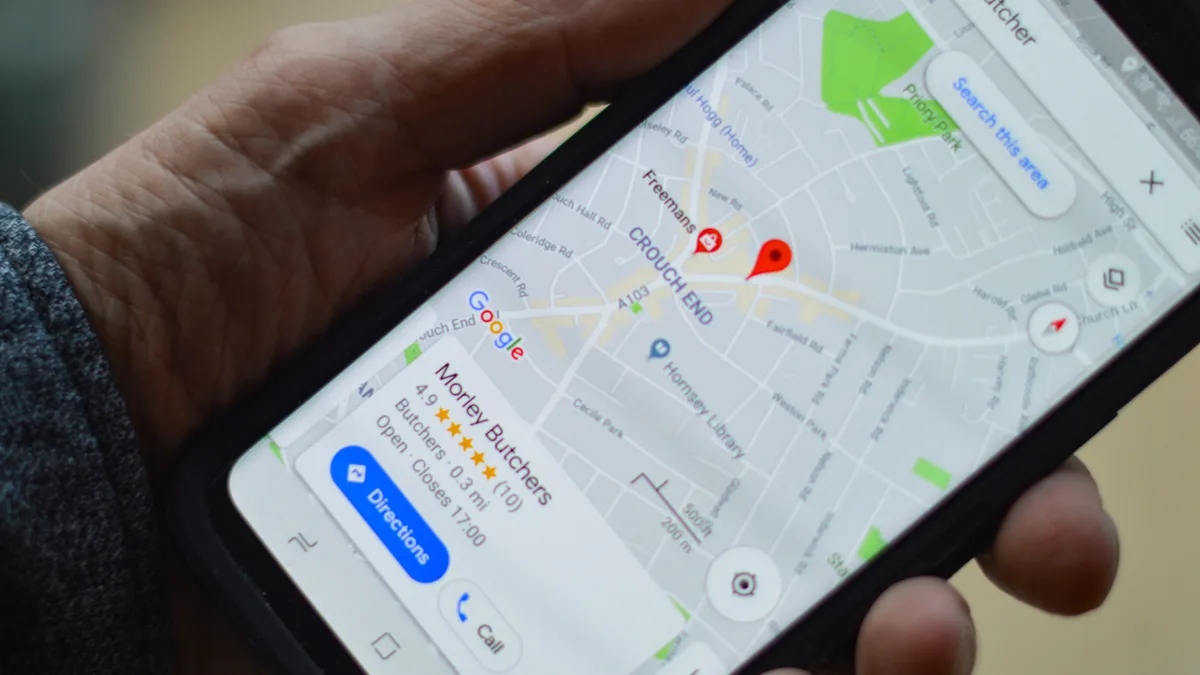
It does not.
Imagine a dental clinic in the center of a city. A person searching from 300 meters away might see it in position two. Someone using the same query three kilometers away might see it in position seven. Across town, it may disappear from the first page of Maps results entirely.
That happens because distance is part of Google's documented local ranking system.
Your ranking radius is therefore better understood as the geographic area across which your business remains competitive for a particular query.
It is not a setting inside Google Business Profile.
It also is not necessarily a perfect circle.
Different neighborhoods contain different competitors, search demand, business density, roads, commercial centers, and levels of local relevance. Your visibility can therefore extend farther in one direction than another.
Tools that use geo-grid rank tracking can reveal this pattern by running the same query from multiple coordinates instead of checking from a single location.
Why Do Google Maps Rankings Vary Across Different Parts of a City?
Because the searcher's location changes the competitive environment.
Suppose your HVAC company is based on the east side of a city.
Near your office, your combination of relevance, proximity, reviews, and prominence may be strong enough for the local 3-pack.
Move the search point eight miles west and several things change:
You are farther away.
Closer HVAC competitors enter the candidate set.
Those businesses may have equally strong categories and reviews.
The searcher's geographic context is different.
Neighborhood-specific relevance may change.
That is why manually searching your target keyword from your office is a poor local rank-tracking method.
A geo-grid gives you a much more realistic visibility map. BrightLocal's Local Search Grid, for example, is designed to show how local rankings change from one map point to another rather than reporting one citywide position.
How Long Does It Take to Rank on Google Maps?
There is no guaranteed Google Maps ranking timeline.
Google says rankings for a new business can take up to a month to appear in search results. That is different from saying a new business will reach the local 3-pack within a month.
Small relevance corrections may be reflected faster. Building enough prominence to compete with established businesses can take much longer.
As a practical planning framework:
Situation | Reasonable Expectation |
|---|---|
Profile edits processed | Often days |
New business begins appearing | Google says rankings may take up to a month |
Relevance improvements | Days to several weeks in some cases |
Noticeable competitive Maps growth | Often measured over several months |
Strong, durable local visibility | Ongoing process |
Industry estimates frequently place meaningful competitive local SEO movement in the three-to-six-month range, but that should be treated as a planning estimate rather than a guarantee. Competition, location, profile history, website authority, reviews, category, and proximity can all change the timeline.
A locksmith in a dense major city faces a different environment from a specialist retailer in a small town.
Measure progress rather than waiting for one arbitrary deadline.
Why Is My Business Not Showing in the Google Local 3-Pack?
First determine whether you have a visibility problem or a ranking problem.
Search for your exact business name plus the city.
If the profile appears for that branded query but not for "dentist near me," "roof repair," or another competitive query, your profile is probably functioning. It simply is not ranking high enough for that search from that location.
If the profile cannot be found even by business name, investigate technical and eligibility issues.
Common causes include:
The profile has not been verified.
The business is new and has not fully surfaced yet.
The profile has been suspended or disabled.
A duplicate profile exists.
The business does not meet eligibility rules.
The business information is incomplete or inaccurate.
The wrong primary category is selected.
The business is too far from the search point for that query.
Stronger nearby competitors are outranking it.
The map pin or address is incorrect.
The business has weak reviews or prominence signals.
The supporting website lacks relevant service/location information.
Google states that guideline violationscan cause a profile to become disabled or suspended and prevent it from displaying publicly until the problem is resolved.
Do not immediately create a second listing. Diagnose the existing profile first.
How Should Your Website Support Your Google Business Profile?
Google Business Profile optimization does not happen in isolation.
Your website helps reinforce your business entity, services, expertise, and geographic relevance.
Make sure the GBP landing page has:
Consistent business name, address, and phone information
A descriptive title tag
Clear service information
Natural city and neighborhood context
Original content
Strong internal linking
Mobile-friendly design
Clear calls to action
Appropriate LocalBusiness or organization structured data
Useful service and location pages
For businesses with multiple legitimate locations, create useful location pages rather than producing dozens of near-identical pages with only the city name changed.
Build local authority outside your own website too. Relevant links and mentions from chambers of commerce, professional organizations, local publications, suppliers, community organizations, industry websites, and reputable directories can help establish the business on the wider web.
What Should You Measure After Optimization?
Do not judge your Google Business Profile optimization checklist only by whether one keyword moved from position five to position three.
Track business outcomes as well.
Useful metrics include:
Search visibility across a local grid
Profile impressions
Calls
Website clicks
Direction requests
Bookings
Messages
Review quantity and recency
Conversion rate from local landing pages
Leads and revenue attributed to local search
This has become easier in 2026. Google introduced a direct Google Business Profile integration with Google Analytics in June 2026. It can bring metrics including GBP interactions, calls, bookings, directions, website clicks, messages, and menus into Analytics.
Google also began rolling out Business Profile connections with Gemini in 2026, allowing eligible owners to analyze profile performance, work with reviews, update profile information, and manage other profile tasks conversationally.
These features can improve workflow, but they do not change the fundamentals: accurate information, relevance, proximity, reputation, and a strong real-world business remain the foundation.
The Complete Google Business Profile Optimization Checklist
Use this condensed checklist for implementation and recurring audits.
Profile foundation
Claim the correct existing profile.
Complete verification.
Confirm the business is eligible.
Remove or resolve accidental duplicates.
Give owners and managers individual account access instead of sharing passwords.
Business information
Use the exact real-world business name.
Confirm the physical address.
Check map-pin placement.
Hide the address for a service-area business when required.
Set accurate service areas.
Add the correct primary phone number.
Link to the most relevant website page.
Set normal hours.
Add special and holiday hours.
Relevance
Research the most accurate primary category.
Add only relevant secondary categories.
Add every genuine service.
Complete applicable attributes.
Add products or menus where appropriate.
Write a clear business description.
Keep information consistent with the website.
Trust and prominence
Create an ongoing review-request process.
Respond to customer reviews.
Monitor new reviews for authenticity and policy issues.
Build relevant local and industry citations.
Correct major NAP inconsistencies.
Earn legitimate local backlinks and mentions.
Strengthen the authority and usefulness of the website.
Engagement and conversion
Upload real exterior and interior images.
Add product, team, and service photos.
Add useful videos when appropriate.
Publish customer-focused posts and updates.
Add booking, ordering, menu, appointment, or reservation links where available.
Keep important calls to action simple.
Measurement
Record a baseline before making major changes.
Track rankings from multiple points on a geo-grid.
Compare visibility by keyword.
Monitor calls, clicks, directions, messages, and bookings.
Review search queries customers use to find the profile.
Compare month-over-month trends.
Re-audit competitors periodically.
A full initial cleanup may take several hours for a simple single-location business and considerably longer when duplicate listings, suspensions, multi-location data, citations, or website issues are involved. After that, schedule a short weekly review and a deeper monthly audit.
Frequently Asked Questions About Google Business Profile Optimization
No. Profile completeness improves the information available to Google and customers, but rankings also depend on relevance, distance, prominence, competition, and the context of each search.
Final Takeaway
The most effective Google Business Profile optimization checklist is not a collection of tricks.
Start by making the business easy for Google to understand: choose the correct category, use accurate information, verify the legitimate location, list real services, maintain correct hours, and connect the profile to a relevant website.
Then make the business easier for customers to trust. Earn genuine reviews. Publish useful photos. Respond to feedback. Build a strong website and legitimate local reputation.
Finally, measure rankings geographically instead of asking, "What position do I rank in Google Maps?"
Local ranking is contextual. The person searching, their location, the query, nearby competitors, your relevance, and your prominence can all change the result.
You cannot optimize away distance. You can improve almost everything surrounding it.
That is the difference between simply having a Google Business Profile and building a local search presence capable of competing over the long term.